
















How to Fix a Hoverboard That Keeps Beeping and Flashing Red
A hoverboard that keeps beeping and flashing red needs a pause, not another ride. To work out how to fix a hoverboard that keeps beeping, stop riding, then check for a low battery, blocked wheels or a surface that may affect balance. If you see damage near the battery, don’t charge it until it’s been inspected, as the Australian Competition and Consumer Commission advises.
A flashing light can feel alarming, especially when you’re keen to get back outside. A few simple checks may help identify the warning, but if the board beeps continuously or moves unpredictably, leave it switched off.
This guide explains what to check first, how to safely charge or recalibrate your board, and when a persistent warning may point to an internal fault. You’ll also learn why beep patterns matter, so you can take a calmer, safer next step for your family.
Key Takeaways
- Pause the ride and consider whether a low battery could be triggering the warning. Use the board’s specific charger, but don’t charge it if there’s damage near the battery.
- Check whether debris is stopping a wheel from spinning freely, and choose smooth, level ground for riding.
- If balance seems off, the manual’s recalibration steps can help; the board needs to be on a flat surface with both footpads level.
- Keep a board with continuous beeping or unpredictable behaviour switched off. Its beep pattern may offer clues, while suspected overheating calls for a cooling break before riding again.
How To Solve Hoverboard With Continuous Beeping And Red Lights ?
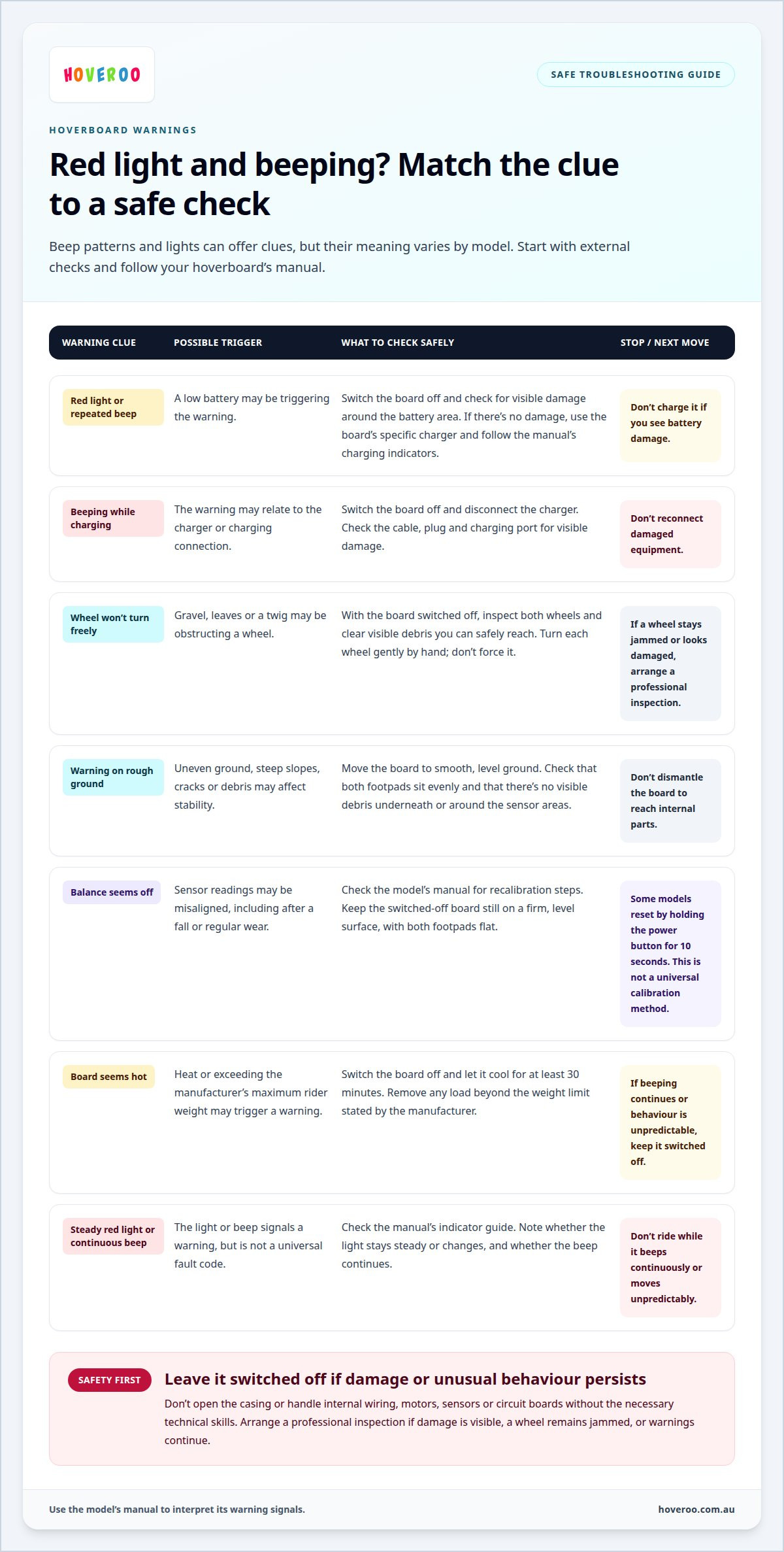
A low battery can trigger beeping and red lights, while battery damage or overheating calls for extra caution. Start with external checks, and stop if the warning continues.
Battery damage after complete discharge
A fully discharged battery may be damaged or unable to hold charge. Riding when the battery is nearly flat can also harm the board and make riding less safe. Switch it off and look for visible damage around the battery area before charging. Don’t charge a hoverboard with signs of battery damage until it has been inspected by a professional.
Checking loose battery connections
A loose internal battery connection can interrupt power and trigger beeping or flashing lights. With the board switched off and disconnected from its charger, check for obvious external damage around the charging port, but don’t open the casing or handle internal wiring without suitable technical skills. Stop troubleshooting if the connection appears damaged.
Low-battery indicators and charging
A red light or repeated beep may signal that the battery is low. Connect the hoverboard to its specific charger and let it charge completely before testing it again; avoid riding while the battery is nearly depleted. If it beeps while charging, switch the board off, disconnect the charger, then check for visible damage to the cable, plug or charging port. Don’t reconnect damaged equipment, and follow the board’s manual for its charging indicators.
Overheating and overload beeps
Heat or exceeding the manufacturer’s maximum rider weight can trigger a warning. If the board seems hot, switch it off and let it cool for at least 30 minutes before considering another ride. Remove any load beyond the stated weight limit. Stop troubleshooting and arrange professional inspection if beeping continues, the board behaves unpredictably, or battery damage is visible. Don’t attempt internal motor, sensor or circuit-board repairs without the necessary technical skills.
Blocked wheels and debris
Debris beside a wheel can stop it turning freely and trigger beeping. Gravel, leaves or a small twig may be enough to interrupt a smooth ride. Switch the board off before checking, and leave it off while you inspect both wheels.
Inspect the outside of the wheels, footpads and sensor areas for trapped debris, cracks, loose parts or exposed wires. Turn each wheel gently by hand to check for resistance, but don’t force it. Don’t open the casing or handle internal wiring without the necessary technical skills.
Clear visible dirt or debris around the wheels, then check that each wheel turns without catching. Keep your fingers away from moving parts whenever the board is powered. If a wheel remains jammed, looks damaged or makes an unusual grinding sound, stop and arrange a professional inspection instead of testing it with a rider.
The surface matters too. Hoverboards are best used on smooth, level ground, not steep inclines, cracks or debris. Rough, uneven ground and steep slopes can make the gyroscopic sensors struggle to maintain stability, which may trigger beeping. For example, move from a bumpy path to a flat surface before deciding the board has an internal fault.
Footpads should sit evenly, with no visible damage or debris wedged underneath. Check around the sensor areas for dirt, but don’t dismantle the board to reach internal parts. If clearing a blockage and moving to level ground stops the warning, debris or the surface may have triggered it. If beeping continues or wiring looks damaged, keep the board switched off and seek professional help.
Check around both wheels for anything obstructing movement, then confirm each wheel can spin freely. Give both sides the same attention, and remove only visible blockages you can reach safely without taking the board apart.
Hoverboard recalibration
Recalibration may help when balance sensors are misaligned. A fall or regular wear can affect their readings, causing uneven footpads, balance problems or beeping. If you’re working out how to fix a hoverboard that keeps beeping, check the manual for your model first. A reset may clear a temporary fault, but it isn’t necessarily the same as recalibration.
Before recalibrating, switch the board off and place it on a firm, level surface. Keep both footpads flat, not tilted forwards or backwards. A sloping driveway or carpet edge can affect sensor position, so keep the board still on an even floor throughout the procedure.
Some models reset through the power button. Press and hold it for 10 seconds, until the board beeps and its lights flash. That’s a reset procedure, not a universal calibration method. Follow the manual if it gives different instructions, and don’t guess button combinations. Controls and indicator signals can vary between models.
If the sensors seem misaligned, follow the manual’s recalibration steps with both footpads level. Don’t ride the board if it still tilts, responds unpredictably or keeps beeping. Repeating a reset won’t fix a physical fault or damaged component.
If you’re still unsure how to fix a hoverboard that keeps beeping after the correct procedure, switch it off. Beeping that begins after a fall may accompany a sudden balance change. Avoid opening the casing to adjust sensors or wiring without the necessary technical skills. Internal repairs can affect parts beyond the original fault, so keep the model’s manual handy and follow its instructions before testing the board again.
Steady red lights and continuous beeping
Beep patterns and indicator lights are clues, not universal fault codes. Check your hoverboard’s manual to interpret its signals before deciding what to do.
Steady red indicator lights
A steady red light indicates a warning, but its exact meaning depends on the model. It may signal a fault or another condition needing attention, so don’t assume it identifies one specific failed part. Check the manual’s indicator guide and note whether the light stays steady or changes during start-up. If the board also behaves unpredictably, keep it switched off.
Continuous beeping alerts
Don’t ignore continuous beeping, especially when it comes with a red light. Different beep patterns may offer clues, and continuous beeping can point to a motor, sensor or circuit-board fault. Note whether the tone is constant or intermittent and which lights appear. Don’t ride a board that keeps beeping or responds unpredictably, as further use may risk an accident or more damage.
Meanings of indicator lights
Indicator lights report the board’s status, but colours and flash sequences vary by model. Use the manual to interpret the exact pattern rather than applying a code from another hoverboard. Note whether the red light stays steady, flashes with beeps or changes after start-up. These details can help clarify what the warning means.
Switch the board off if the warning persists after you’ve checked the manual. Don’t open the casing to investigate a suspected internal fault unless you have the necessary technical skills. A persistent red light and continuous beep call for an inspection, not a test ride.
If you’re considering another ride, explore hoverboard options for your family.
Hoveroo
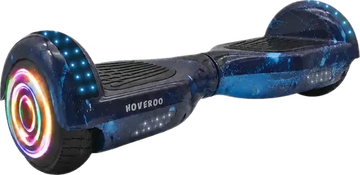
Hoveroo offers the Hoveroo Hoverboard and Off-Road Hoverboard for families choosing a ride-on for outdoor play. Both include a minimum 12-month Australian warranty. If your current board continues beeping or behaves unpredictably after safe checks, keep it switched off and don’t ride it. The hoverboard range may suit you when considering another board for your family.
Choose your next ride based on where it will be used and the rider’s needs. The Off-Road Hoverboard is designed for uneven terrain such as grass, gravel or dirt, while the Hoveroo Hoverboard is another option to explore. For questions about these options, contact Hoveroo.
Choose a confident next ride
Knowing how to fix a hoverboard that keeps beeping can help you make a safer call about the ride ahead. If your board still doesn’t feel right, take time to decide what suits your family’s next outing. A new ride is a chance to choose for the places your child enjoys exploring and the experience they’re ready for.
Hoveroo offers the Hoveroo Hoverboard, Off-Road Hoverboard and Thunderbolt Electric Dirt Bike. Each includes a minimum 12-month Australian warranty. Consider which kind of ride best fits your family’s outdoor plans, and review the product details as you make your choice.
For help with your hoverboard questions or choosing a ride-on, Contact Hoveroo for hoverboard help. Take your next step at your own pace, then look forward to more family adventures outdoors!
Frequently Asked Questions
How do you reset or recalibrate a hoverboard that keeps beeping?
Follow the instructions for your exact hoverboard model, because a reset and sensor recalibration are different procedures. Note the model name and warning pattern, then use the matching manual rather than trying generic button sequences. If the board still beeps after the specified reset, a cleared light alone doesn’t prove it’s safe to ride. Keep it unused until the warning is resolved.
How do you check and charge a hoverboard battery safely?
Use the charger supplied with the board and follow its manual’s charging instructions. Check that the charger and port are dry and free from visible damage before connecting them. Every Hoveroo hoverboard has UL 2272 certification and includes a minimum 12-month Australian warranty. Stop charging if you notice damage, unusual heat or a persistent warning, and keep the board switched off.
Can a faulty battery cause continuous beeping, and when should it be replaced?
Yes, a faulty battery can cause continuous beeping, particularly if it no longer holds charge or the board repeatedly loses power. Don’t replace the battery based on the beep alone: a motor, sensor or circuit-board fault can produce similar alerts. Have the cause assessed before arranging a replacement, and don’t open the casing or attempt internal battery work without the necessary technical skills.
Use of products sold by Hoveroo is subject to applicable national, state, territory and local laws, regulations and local council by-laws. Consumers are responsible for checking and complying with all applicable local requirements prior to use. Unless expressly stated, products are not represented as approved for use in any particular public area.